Radio Code Generator
Car Radio CodesAuto & Vehicles
4.3165.00 Reviews
- Version
- 13.0.0
- Installs
- 1.00M
- Age Rating
- Everyone
Screenshots
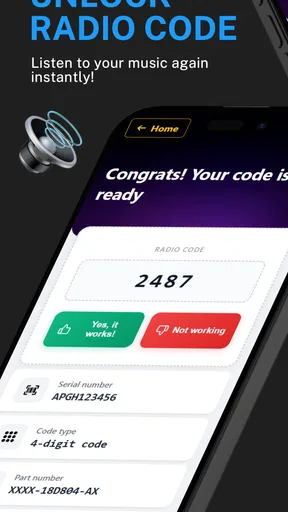
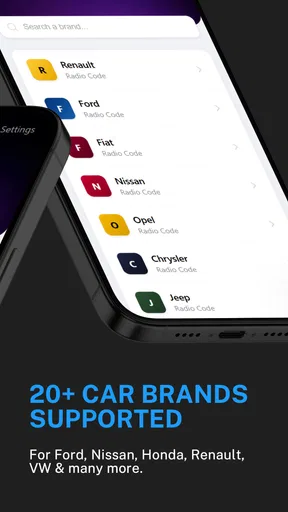
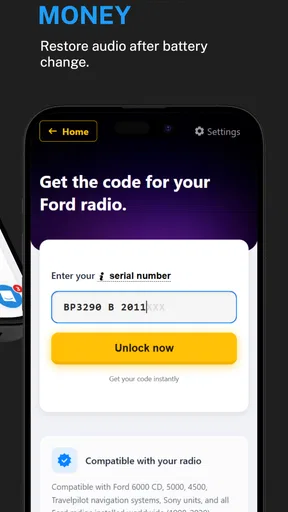
Our Review of Radio Code Generator
 Analysis by Appyee
A locked car radio can turn an ordinary battery change into an annoying puzzle: the display asks for a code, the handbook is nowhere to be found, and a trip to the dealer may feel like overkill. Radio Code Generator is aimed at that exact moment. I’d think of it as a focused tool for getting a compatible radio code from identifying information, rather than as a general car companion. That narrow purpose is useful, but it also means it is only worth opening when your radio and vehicle are supported and you can locate the details it needs.
Who benefits from a quick code lookup
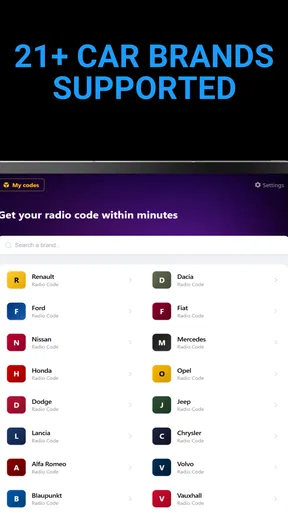
The app is most appealing if you own, service, or help maintain cars from several manufacturers and want a first place to check when a radio locks. Its coverage spans Renault, Ford, Fiat, and 21 other car manufacturers, so it has broader reach than a tool dedicated to one badge. The developer is Car Radio Codes, and the app sits in the automotive tools space rather than trying to manage navigation, maintenance schedules, or media playback.
A practical example: after a battery replacement, a family car’s radio requests its security code. Instead of immediately calling a dealer, you can check the radio’s serial number, select the relevant route in the app, and see whether it can generate a code. The important work may be identifying the correct serial number, not tapping quickly. Before you start, keep the car’s make and radio details together; a mistaken identifier can waste time or lead you down the wrong path.
Speed depends on preparation
For a straightforward case, the appeal is the short workflow: find the radio identifier, enter it, and follow the instructions for restoring access. The app’s purpose is narrow enough that it should not require you to learn a large set of unrelated tools first. Still, I would not treat “quick” as a guarantee that every car can be resolved in moments. If the serial number is difficult to access, the lookup takes a back seat to the physical task of finding it.
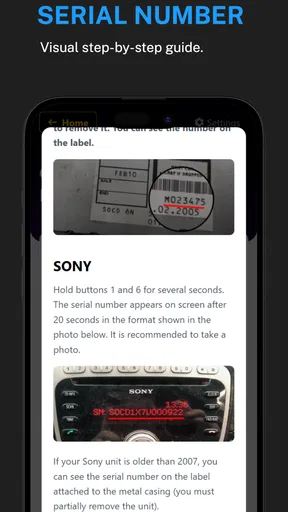
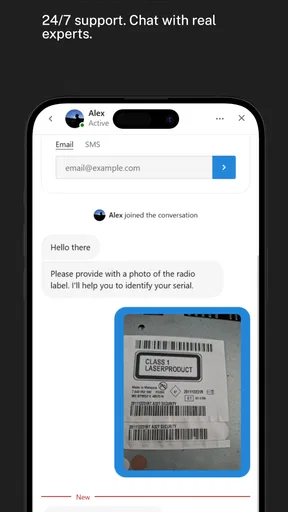
A useful tip is to check the owner’s handbook and the radio’s visible labels before taking anything apart. Some radios display identifying information through a button sequence; others may require removal to read a label. The exact method varies by unit, so avoid forcing trim or wiring just to speed things up. If you are unsure how to expose the serial safely, a vehicle manual or qualified audio technician is a better next step than guesswork.
Where it fits among the alternatives
The usual alternatives are contacting a dealership, asking an auto-audio specialist, searching the paperwork that came with the car, or trying a manufacturer-specific code service. Those routes can be better when you need help confirming the radio’s identity or when a code must be retrieved through an official process. This app is more convenient as an initial self-service check: it puts several makes in one place and may save a call when the radio falls within its supported scope.
That convenience has a boundary. A multi-manufacturer generator is not a substitute for diagnosis if the radio is faulty, the vehicle has an unusual replacement unit, or the code is rejected. Nor should a generated result be assumed correct just because it looks plausible. Double-check the serial number and the vehicle selection before entering a code; repeated incorrect attempts can create extra hassle, and the radio may impose its own waiting period or lockout behavior.
Costs, expectations, and the right fit
The app is free to install, though in-app purchases are listed from $4.99 to $54.99 per item. I would check what a particular lookup involves before paying, especially if you only need one code. The price range is wide enough that it is sensible to understand the specific purchase and its terms rather than assuming every code is included at no cost. If your car is not covered or you cannot identify the radio, a dealer or specialist may be the more direct option.
It is a better fit for someone who wants a self-service attempt and is comfortable checking a serial number. It is less suitable for a driver who expects an automatic fix without any vehicle details, or for someone who would rather have a technician verify the unit and handle the radio controls. It also does not replace a general roadside or vehicle-maintenance app; its value is concentrated in one frustrating, occasional problem.
Unlocking the Mystery of Radio Codes
So, here’s the deal. Many car manufacturers use radio codes as a security feature, which is great until you’re left in silence after a battery replacement or a sudden disconnection. Enter Radio Code Generator. This app claims to retrieve those lost codes, getting your tunes back on track. Sounds like a dream, right?
Getting Started
Downloading the app was a breeze. It’s available on both Android and iOS, so no one’s left out. Once installed, the interface is pretty straightforward. You’re greeted with a user-friendly design that doesn’t require you to be a tech wizard to navigate. I appreciate that because, let’s be honest, no one wants to sift through a complicated setup when all they want is their music back.
How It Works
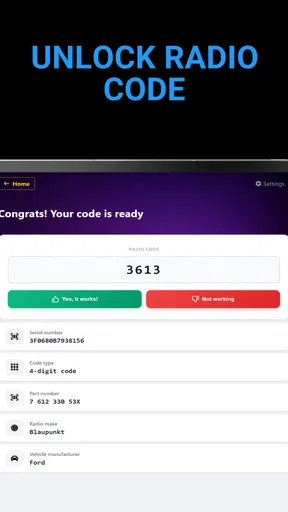
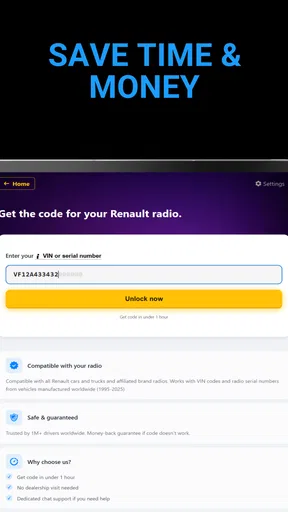
Essentially, you’ll need your car’s radio serial number. This might sound daunting, but the app provides a handy guide on where to find it depending on your car model. Once you’ve got that number, punch it into the app, and voilà! The app generates the code you need. It’s like having a pocket-sized mechanic at your disposal.
The app also offers a step-by-step guide on how to input the code into your car’s radio, which is super helpful. I was impressed with how seamless the whole process was. I didn’t need to call up a dealership or wait for a manual reset. Everything was just a few taps away.
Usability and Performance
Now, let’s talk about how this app performs in real-life scenarios. I tested it with a couple of different car models, and the results were consistent. The codes were generated quickly and worked like a charm. I didn’t experience any glitches or crashes, which is always a plus.
One thing I noticed is that the app doesn’t bombard you with ads, which is a rare find these days. It keeps things smooth and uninterrupted, allowing you to focus on the task at hand.
Is It Worth It?
If you’re someone who frequently deals with radio code issues, Radio Code Generator is definitely worth having in your digital toolkit. It saves time and the hassle of dealing with customer support. Plus, it’s quite affordable compared to other alternatives.
However, if you’re someone who rarely encounters this problem, you might not find it necessary to keep it installed. That said, it’s a great app to have in those emergency moments.
To wrap it up, Radio Code Generator does exactly what it promises, without any extra fluff. It’s straightforward, effective, and reliable. Whether you’re a tech novice or a gadget guru, this app offers a simple solution to a common problem.
As an Auto & Vehicles app, it has a 4.2 average from around 14,000 ratings and has passed over a million installs. It is free to download, rated Everyone, and was released on February 12, 2019; its current version is 13.0.0, with Android 7.0 as the minimum OS requirement. Those figures suggest a well-established audience, though popularity alone cannot tell you whether a particular radio will be supported. I’d still check the make and serial details before relying on it.
Reliability means checking the match
In a calm situation, the process is easier to judge than when you are parked somewhere in a hurry. I’d enter the serial carefully, compare each character with the radio label or display, and take a moment to confirm the selected manufacturer. Letters and numbers can be easy to confuse, especially on a worn label. That small pause is a better reliability measure than rushing to try a code that may have been generated from the wrong input.
If a result does not work, I would stop rather than repeatedly submitting alternatives. Recheck the serial and the radio model, then consult the vehicle documentation or a specialist if the details still do not line up. The app can help with a code lookup; it cannot tell you whether a radio was replaced with a different unit or whether the hardware itself is malfunctioning. Knowing when to switch from app-based troubleshooting to hands-on help is part of using it well.
Stability and everyday device demands
This is not the kind of app I would expect to keep open all day. Its job is a brief lookup and a set of instructions, so it makes more sense as an occasional utility than as something running in the background. I found the experience uncomplicated, and the focused task does not call for a demanding phone setup. The most likely slowdown in a real job is locating and confirming the radio information, not navigating a sprawling collection of features.
For older phones, the minimum Android requirement is 7.0, which gives owners of some older devices a clear compatibility point to check. On iOS, the app is also available, but I would check the relevant device listing before installing. If you are using the phone beside the car, keep the screen readable and avoid handling it while driving; this is a parked-car task, especially when you need to inspect the radio or enter a code using its physical controls.
The app is free to install, but some purchases are listed between $4.99 and $54.99 per item. That makes it worth distinguishing installation from the cost of a particular service. If a lookup asks for payment, read the details before confirming and compare the amount with what a dealer or audio specialist would charge for your situation. I would not pay for a result until I had checked that the radio’s identifying information was accurate and that the requested service matches the problem.
A sensible choice for a specific problem
With 165 reviews alongside its larger pool of ratings, there is enough user feedback to make the app feel established, but individual outcomes will naturally depend on the radio and the quality of the information entered. I would treat it as a practical first stop, not a promise that every vehicle can be unlocked. The strongest reason to keep it in mind is simple: when a supported radio asks for its code, a guided lookup may be less cumbersome than starting with a service call.
If you are choosing between this and a general car app, the comparison is straightforward: a broad vehicle app may be more useful for routine ownership, while this one is more focused on radio-code recovery. If your need is one locked unit, that specialization is the point. If you need a confirmed code for an unsupported radio, professional help is likely the more dependable route. For me, the best approach is to use the app methodically, keep the serial handy, and stop if the result does not fit the radio in front of me.
Ready to give it a try? You can find the download links right here on our site. Just click, install, and let the music play!
Verdict
Strengths of Radio Code Generator
- User-friendly interface for quick access.
- Supports a wide range of radio models.
- Offline functionality for remote areas.
- Fast code generation process.
- No registration required for use.
Limitations of Radio Code Generator
- Limited support for older radio models.
- Lacks customer support for issues.
- Requires internet for first-time use.
- Ads can be intrusive at times.
- No option for manual code entry.
Similar Picks in This Category
View All
Android Auto
Google LLC4.1

maxim — order a taxi & food
PT. SITO4.7

Штрафы ГИБДД: проверка с фото
Pays LLC – Штрафы ГИБДД4.7

Номерограм – проверка авто
Авто Ассист4.8

Дром Авто
Дром4.9

Frequently Asked Questions
What is the Radio Code Generator app used for?
The Radio Code Generator app is designed to help users retrieve lost or forgotten radio codes for their car audio systems. It is especially useful for vehicles that require a security code after a battery change or disconnection. By entering specific details about your car's radio, the app generates the necessary code to unlock it.
Is the Radio Code Generator app compatible with all car models?
While the Radio Code Generator app supports a wide range of car models, it is not universally compatible with every make and model. Users should check the app's compatibility list to ensure it supports their specific vehicle. The app often updates its database to include more models, so checking regularly can be beneficial.
How does the Radio Code Generator ensure the security of my data?
The Radio Code Generator app prioritizes user privacy and data security. It does not store personal information, and all data input is securely processed to generate the radio code. Users can be assured that their information is not shared with third parties, maintaining a safe and confidential experience.
Do I need an internet connection to use the Radio Code Generator app?
Yes, an internet connection is necessary to use the Radio Code Generator app. The app requires connectivity to access its database and generate the correct radio code for your specific model. Ensure you have a stable connection to avoid interruptions while retrieving your code.
Is there any cost associated with using the Radio Code Generator app?
The Radio Code Generator app is available as a free download with basic functionalities. However, some advanced features or specific model codes might require a one-time purchase or subscription. It is advisable to review the app's pricing details to understand any potential costs before download.
